

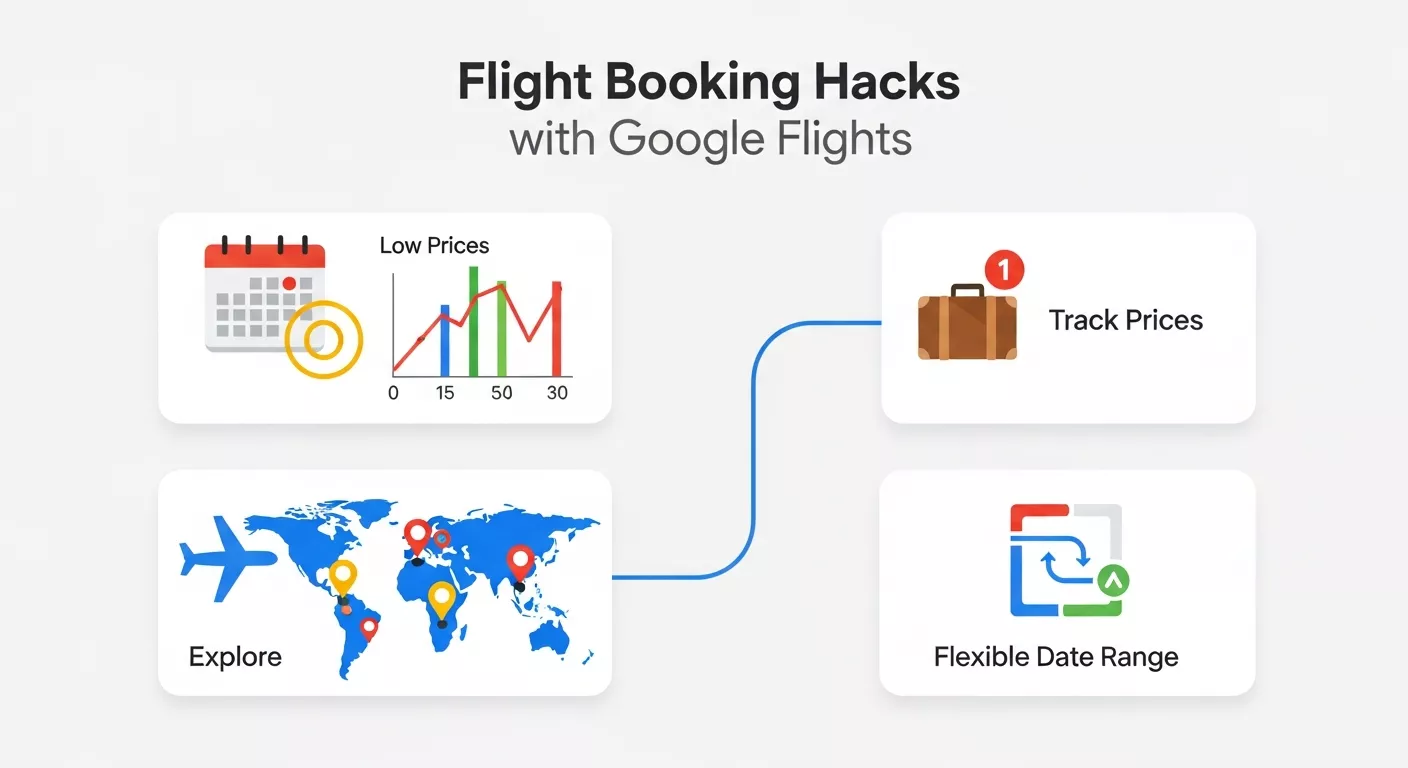
Learn how to use Google Flights smarter with flexible dates, price tracking, nearby airports, self-transfer options, and fare comparison tools. These flight booking hacks help travellers save money, find better routes, and book flights with greater confidence and efficiency.
Finding a good flight price can feel like a moving target. Fares change, routes vary, and the cheapest option is not always the best value once baggage, timing, and connection quality are included. That is why Google Flights has become such a useful tool for travellers: it lets you explore and compare flights, track price changes, and book through the airline or travel partner when you are ready. Google’s own flight tools include features for tracking prices, checking cheapest fares over flexible dates, exploring fare trends by month or week, comparing alternative airports, and even buying separate or self-transfer tickets when that could save money or open better schedules.
If you have ever wondered why one search shows a fare that looks excellent while another route seems overpriced, the answer is usually timing and flexibility. Google Flights helps with both. It can show the lowest fares within a 30-day period, and its date tools can reveal how prices change across different days, months, or trip lengths. For travellers who are willing to be flexible, those features can turn a normal search into a real savings opportunity.
Why Google Flights is so useful

Google Flights is not just another booking site. It is a search and comparison tool built to help travellers understand the market before they buy. On the official Google Flights pages, Google says you can explore and compare cheap flights, track price changes, and book your ticket after finding a deal. Its help pages also show that the tool supports filters such as number of stops, cabin class, and number of tickets, which makes it easier to shape a search around real travel needs instead of browsing endless unrelated fares.
Another major advantage is that Google Flights gives you route-level insight. After a search, it can show options like dates, airports, and a price graph, which helps you understand whether a fare is normal, unusually high, or better than average for that route. That kind of context matters because flight pricing is dynamic and can change based on demand and timing.
Hack 1: Use flexible dates instead of fixed dates
One of the biggest mistakes travellers make is locking themselves into one exact day. Google Flights specifically supports flexible-date searches. Its help pages say you can use the “See calendar of lowest fares” option to find the cheapest fares within 30 days, and the price graph can help explore fare trends by month or week when your travel dates are flexible.
This matters because a one-day shift can make a surprising difference. For example, a Friday departure may cost much more than a Tuesday or Wednesday departure on the same route. The point is not to guess the cheapest day blindly. The point is to use the calendar and price graph to let the market tell you where the lower fares are. When you do that, you stop searching for one perfect date and start searching for a better price range.
Hack 2: Set price tracking early
Google Flights lets you track prices for specific flights, routes, and dates, and it also supports tracking with “Any dates” when your travel plans are flexible. That means you do not have to keep checking manually. Once you have a route in mind, you can turn on price tracking and let Google alert you if the fare changes.
This is one of the smartest habits for expensive trips, especially long-haul or international flights. If you are planning months ahead, price tracking helps you monitor movement without obsessing over the fare every day. It also helps you react when a route drops to a more attractive level. In a travel budget, that kind of alert can make a real difference.
Hack 3: Compare nearby airports
Google Flights’ help pages show an “Airports” section that can reveal fares from alternative airports, and the search experience is designed to help travellers compare airport options when available. This is especially useful if you live near more than one airport or if your destination city is served by multiple arrival points.
Nearby airports can create savings in two directions. Sometimes your departure airport is the problem, and a short train ride or drive to another airport opens a better fare. Other times the arrival airport matters more, especially in large metro areas. A flexible traveller will compare both sides of the trip rather than assuming the nearest airport is always cheapest. This does not mean every alternate airport is worth the inconvenience, but it is one of the first places to look when prices feel too high.
Hack 4: Use the price graph to spot patterns
Google Flights says that if your dates are flexible, the price graph lets you explore fare trends by month or week. That is useful because flight prices are not random. They often rise and fall in patterns related to season, day of the week, and demand. The graph gives you a visual way to compare those patterns instead of guessing.
A price graph can help you answer questions like whether it is better to fly one week earlier, whether returning a day later saves money, or whether a whole month is cheaper than the one you first planned. This is especially helpful for holiday travel, school-break trips, and international itineraries where prices can shift sharply. In practice, the graph is one of the fastest ways to turn a vague search into a smart decision.
Hack 5: Search one-way, round-trip, and separate tickets
Google Flights explicitly notes that you can adjust the trip type to see one-way fares, and its help pages also explain that separate or self-transfer tickets may appear when they could save you money or open more schedules. That is a big deal because many travellers assume a round-trip itinerary is always the best value. It is not always true.
Separate tickets can help in several situations: open-jaw trips, multi-country travel, positioning flights, or routes where one airline is strong on the outbound and another is better on the return. Google also warns that separate or self-transfer tickets may require more planning, such as claiming and rechecking baggage, allowing extra time, and understanding that change fees may apply to each ticket. In other words, the savings can be real, but the responsibility shifts to you.
Hack 6: Try multi-city searches for smarter itineraries
If you are planning more than one stop, a multi-city search can be more efficient than searching each segment separately. Google Flights supports itineraries that combine separate legs and can show options that might save money or give you better schedules. This is especially helpful when you are planning a Europe trip, a long-haul holiday, or an itinerary where you enter one city and leave from another.
Multi-city search is valuable because it reflects how many real trips actually work. You might fly into one city, travel overland to another, and return home from there. Instead of forcing that trip into a simple round-trip box, Google Flights lets you build the trip around the route you actually want. That can lead to better prices and less backtracking.
Hack 7: Use the Explore option when your destination is flexible
Google Flights’ main page says you can explore and compare cheap flights to anywhere, which is exactly what makes the Explore-style approach so useful for flexible travellers. If you have time off but no fixed destination, this feature helps you search by budget and see where you can go for less.
That changes the planning order. Instead of saying, “I want to go to this city, and I hope it is affordable,” you can say, “I have this budget, so where can I go?” For travellers who value value, not just destination branding, this is one of the strongest Google Flights strategies available. It is especially useful for shoulder-season travel, spontaneous breaks, and budget-friendly holidays.
Hack 8: Check baggage rules before deciding a fare is cheap

Google Flights’ help pages note that when you buy separate or self-transfer tickets, different airlines may have different baggage rules and fees. That same principle matters even on simpler searches: a low fare can become less attractive once baggage and extras are added.
This is one of the most common mistakes travellers make. They see a low ticket price and stop there. But travel costs are about the total trip, not only the base fare. If one option has a slightly higher ticket but includes the baggage you need, it may be the better buy. Google Flights helps by making it easier to compare routes and options, but the final value judgment still belongs to the traveller.
Hack 9: Use stops and cabin filters to narrow the noise
At the top of Google Flights, you can choose the number of stops, cabin class, and how many tickets you need. That might sound basic, but it is one of the quickest ways to turn a messy search into a useful one. If you know you want non-stop flights only, you can filter for that. If you are open to one stop in exchange for a lower fare, you can search that way too.
The same is true for cabin class. A traveller who knows they need economy can filter out irrelevant results immediately. A business traveller can focus on premium options without wasting time. Good search discipline is part of good flight booking. The best deals are easier to spot when the search itself is well-controlled.
Hack 10: Look at the route, not just the ticket
Google Flights includes “Flight insights” after a search, with options to optimize the trip, including tips for when to book, cabin upgrades, travel guides, dates, airports, and price graph insights. That means Google is not just showing you a fare. It is trying to show you the larger shape of the trip.
That broader view matters because a flight is only one part of travel value. A slightly cheaper fare with a terrible arrival time can cost you more in fatigue, hotel night arrangements, or transport stress. A more expensive fare with a better schedule can sometimes be worth it. Google Flights helps you compare the route intelligently so that the final choice fits your trip, not just your wallet.
Hack 11: Be careful with self-transfer tickets
Google Flights says separate or self-transfer tickets may appear when they could save you money or open more flight schedules. It also warns that self-transfer trips may require reclaiming and rechecking baggage, take extra time, and carry the risk of missing a later flight if the first leg is delayed.
That means self-transfer tickets are not automatically good or bad. They are a trade-off. They can be useful for flexible travellers who understand the risks and are comfortable with extra logistics. They are less suitable for travellers who need a simple, low-stress itinerary. The hack is not to avoid them completely, but to evaluate them carefully.
Hack 12: Use travel timing to your advantage
Google Flights helps you examine dates, price graphs, and cheaper airport options, which makes timing a major part of the savings strategy. In general, being flexible on departure day, return day, and even travel month gives you more chances to find a lower fare. The tool is built to show those differences clearly.
This is why a good flight booking habit is to search early and often, then wait until the price looks sensible. You are not trying to predict the perfect bottom. You are trying to identify a fair fare before demand pushes the price upward. Alerts and graphs help with that process.
A practical Google Flights workflow
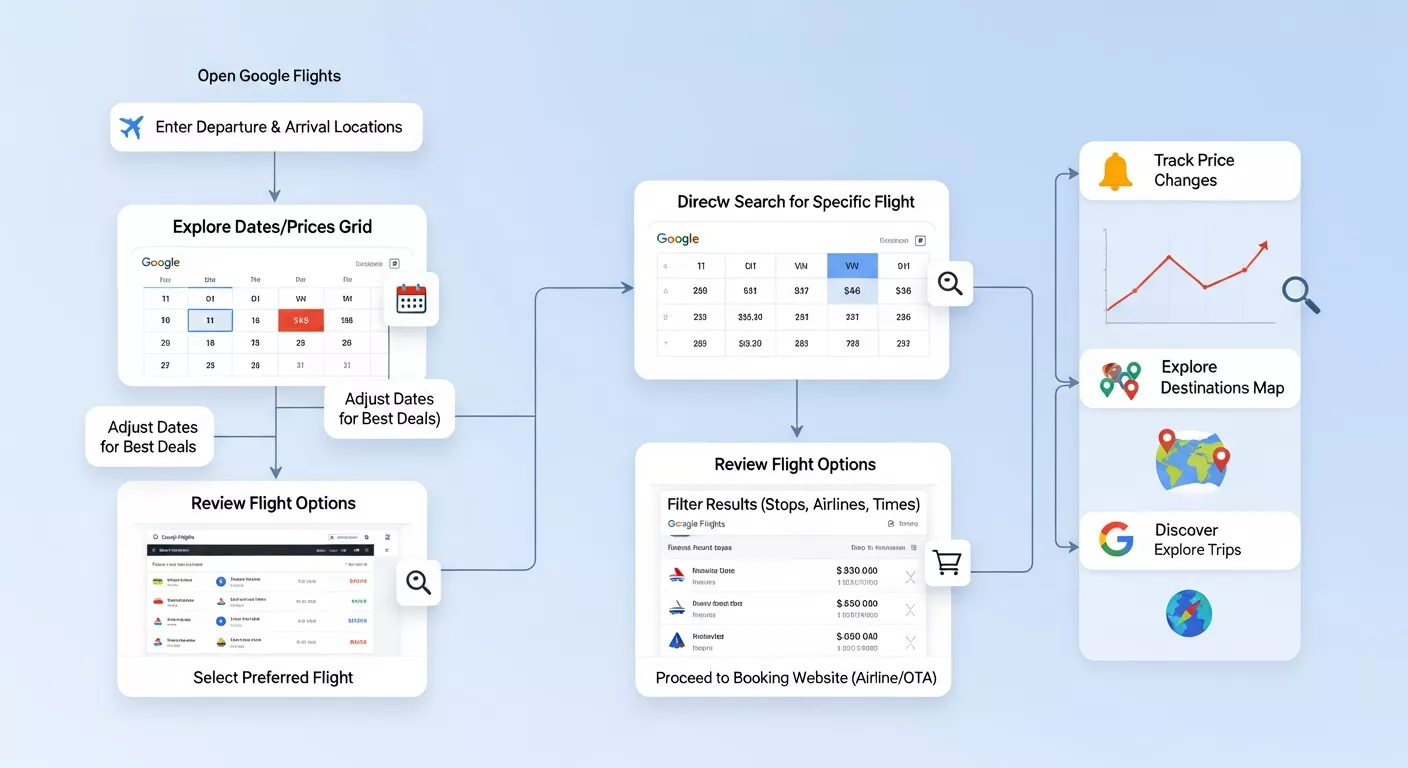
If you want a simple repeatable routine, use this:
First, search your route with flexible dates. Then compare the calendar of lowest fares and the price graph. Next, check alternative airports. After that, compare one-way, round-trip, and multi-city options. Turn on price tracking once your route becomes serious. Finally, review baggage and self-transfer details before you book. That sequence uses the main strengths Google Flights itself documents: flexible-date searches, price tracking, alternative airports, flight insights, and separate or self-transfer tickets.
Final thoughts
The biggest flight booking lesson is simple: the cheapest fare is not always the cheapest trip. Google Flights helps you see more than a single ticket price. It shows dates, airports, graphs, fare tracking, and itinerary options so you can make a more informed choice. If your dates are flexible, your airport options are open, and you are willing to compare one-way, round-trip, and multi-city combinations, you can often find better value than a rushed search would reveal. Google’s official help pages confirm that these tools are built into the platform, which is exactly why it is worth using them deliberately rather than casually.
Over time, this approach becomes a habit. You stop hoping for a lucky fare and start using a system that consistently gives you better odds. That is what makes Google Flights so useful: it turns flight booking from guesswork into a smarter travel decision.
FAQs
1. How does Google Flights help find cheaper flights?
Google Flights helps travelers compare fares across airlines, track price changes, view cheapest travel dates, and compare nearby airports. Its calendar, price graph, and Explore tools help identify cheaper options many travelers might otherwise miss.
2. What is the best Google Flights hack for saving money?
One of the best hacks is using flexible dates. Shifting departure or return dates by even one or two days can often lower fares significantly. Combining this with price tracking and alternate airport searches can increase savings even more.
3. Is Google Flights price tracking worth using?
Yes. Price tracking can alert you when fares rise or drop, which helps avoid overpaying. It is especially useful for international trips or expensive routes where airfare can fluctuate often before departure.
4. Can nearby airports really lower airfare costs?
Often, yes. Flying from or into an alternate airport can reduce costs, sometimes substantially. Google Flights makes it easy to compare airport options, helping travelers find better overall value beyond their default airport choices.
5. Are self-transfer tickets on Google Flights safe to book?
They can save money, but they require caution. Travelers may need to recheck bags, handle immigration during connections, or accept risks if delays cause missed flights. They can work well when planned carefully.
6. Does Google Flights show the cheapest days to fly?
Yes. The calendar and price graph features can show cheaper travel dates over weeks or months. This is especially useful for travellers with flexible schedules who want to optimize costs.
7. Is booking one-way flights sometimes cheaper than round-trip?
Yes. In some cases, two one-way tickets on different airlines can cost less than a standard round-trip fare. Google Flights makes comparing these options much easier, especially for international or multi-city trips.
8. How can the Explore tool help with travel planning?
The Explore feature is useful when your destination is flexible. Instead of searching one route, you can search based on budget and discover destinations with lower fares, making it great for budget travel inspiration.
9. Does Google Flights include baggage fees in pricing?
Not always fully. Some low fares may exclude checked baggage or other extras. Travellers should always review baggage rules and total trip costs before assuming the lowest displayed fare is the best deal.
10. What mistakes should travellers avoid when using Google Flights?
Common mistakes include searching only fixed dates, ignoring nearby airports, overlooking baggage fees, skipping price tracking, and choosing the cheapest fare without evaluating route quality, layovers, or total travel convenience.