

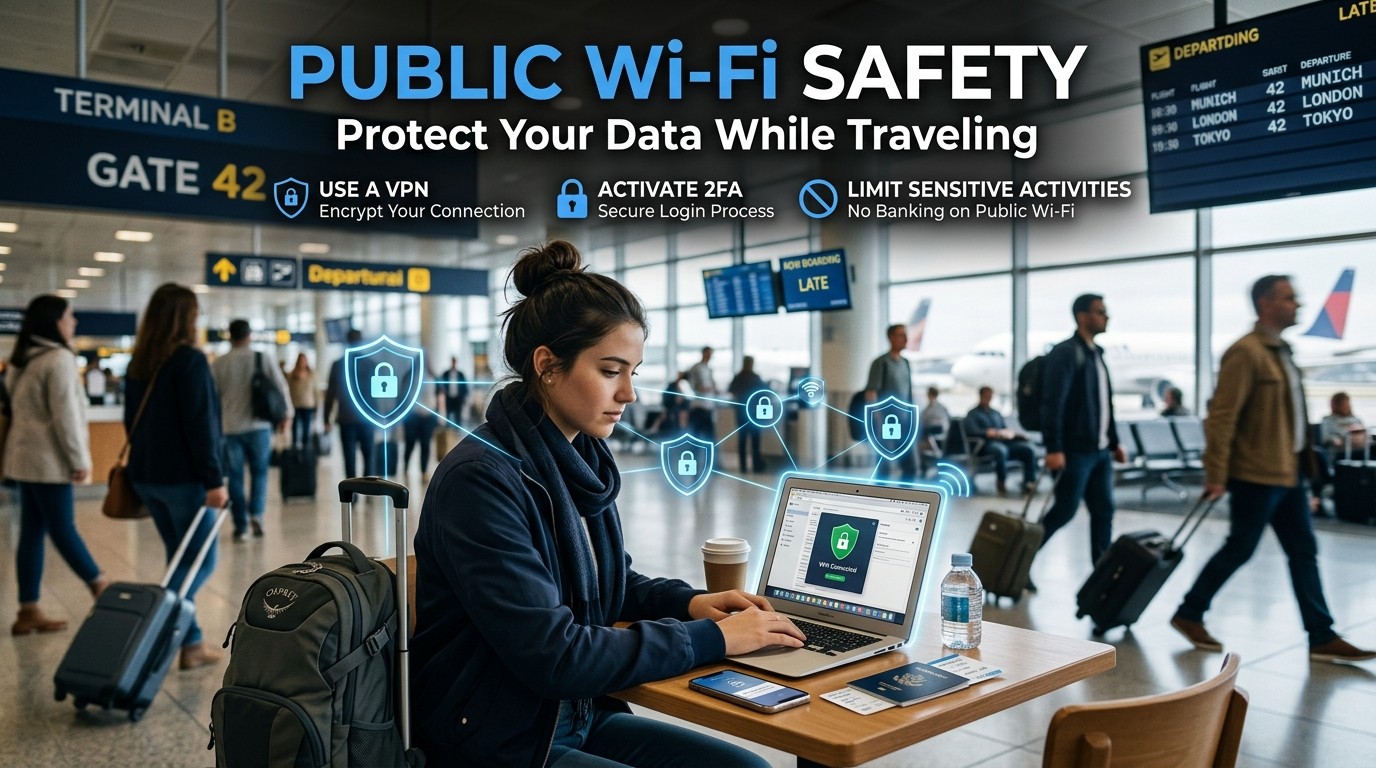
Public Wi-Fi Safety helps travelers reduce risk, protect logins, and make smarter connection choices, so laptops and phones stay secure without sacrificing convenience on the road.
Public Wi-Fi Safety is no longer a niche concern. It is a basic travel skill. The moment you connect to airport Wi-Fi, café internet, hotel guest networks, or a shared hotspot, your data starts relying on the quality of that network and your own habits. Public Wi-Fi Safety matters because modern travel depends on online banking, flight changes, map access, messaging, cloud storage, work documents, and booking confirmations.
For many travelers, the danger feels invisible. A network looks normal, a login page appears, and everything seems fine. That is exactly why Public Wi-Fi Safety deserves attention. The risks are often quiet: fake networks, unsecured traffic, session hijacking, phishing pages, and device exposure through poorly protected connections. Public Wi-Fi Safety helps reduce those risks before they become expensive mistakes.
People often assume only business travelers need to worry. That is not true. Families, digital nomads, students, solo travelers, and tour groups all depend on shared networks. Public Wi-Fi Safety is relevant whether you are checking a reservation, paying a bill, or sending photos home. A few simple habits can make a large difference in how much of your personal data stays private.
Travel psychology also plays a role. When you are tired, jet-lagged, and trying to connect quickly, you are more likely to click the first available network and move on. Public Wi-Fi Safety encourages a slower, more deliberate habit. That pause is often what protects you from a risky connection.
How Public Networks Create Risk
Public networks are convenient because they are open, but openness is also the problem. Public Wi-Fi Safety begins with understanding that not all network traffic is equally protected. On an untrusted connection, a malicious actor may try to observe traffic, redirect you to a fake login page, or exploit weak device settings.
Common Threats on Shared Networks
Fake hotspot names
One of the simplest tricks is a lookalike network. A traveler sees a name that resembles the airport, hotel, or café network and connects without checking. Public Wi-Fi Safety means verifying the exact network name with staff or a posted sign before joining.
Unencrypted browsing
If a website or app connection is poorly protected, your activity may be easier to intercept. Public Wi-Fi Safety reduces the chance of exposure by favoring secure websites, secure apps, and encrypted connections.
Session theft
Some attackers focus on active logins. If a session is weakly protected, they may try to exploit it after you sign in. Public Wi-Fi Safety includes logging out of sensitive accounts and avoiding unnecessary logins on risky networks.
Device scanning
Shared networks can also expose poorly configured devices to discovery. Public Wi-Fi Safety means keeping sharing options off, updates current, and unnecessary services disabled when you travel.
The Mindset Shift That Improves Security
Good travel security is not about paranoia. It is about habits. Public Wi-Fi Safety works best when you stop thinking in terms of total trust and start thinking in terms of managed risk. A public network is useful, but it should not be treated like your home network.
That shift makes decisions easier. Do you really need to open your bank app right now? Do you need to upload work files on a crowded café network? Do you need to stay logged in to every account all day? Public Wi-Fi Safety helps you ask those questions before the connection becomes a liability.
The best travelers are usually not the ones who know the most technical details. They are the ones who are consistent. Public Wi-Fi Safety becomes second nature when you follow a repeatable process every time you connect.
Smart Connection Habits Before You Join
Before using any network, inspect the situation. Public Wi-Fi Safety starts before the login screen appears. Ask yourself who provides the network, whether a password is required, and whether the name matches the place you are in. When in doubt, ask staff directly rather than guessing.
Check the network name carefully
A slight spelling change may be enough to signal a fake hotspot. Public Wi-Fi Safety means never connecting just because the signal is strong.
Avoid automatic joining
Many devices remember old networks and reconnect without asking. Public Wi-Fi Safety improves when you disable auto-join for networks you do not fully trust.
Turn off sharing when traveling
File sharing, printer sharing, and similar features are helpful at home but risky in public. Public Wi-Fi Safety is much stronger when those services are disabled.
Keep your operating system current
Updates often patch security weaknesses. Public Wi-Fi Safety gets a major boost from routine software updates before and during a trip.
What to Do Immediately After Connecting
Once you are on a network, your actions matter just as much as the connection itself. Public Wi-Fi Safety is not only about choosing the network. It is about how you behave after joining.
Avoid opening critical accounts unless absolutely necessary. Public Wi-Fi Safety is better when you reserve banking, identity documents, and sensitive admin tasks for a trusted network or a safer connection method. If you only need maps, messaging, or a boarding pass, that is a lower-risk use case.
Also watch for browser warnings. If a site suddenly redirects oddly or asks for unusual credentials, stop. Public Wi-Fi Safety includes treating unexpected prompts as warning signs rather than normal inconvenience. A quick moment of caution can prevent a serious problem.
Browser and Account Settings That Help
Your browser can strengthen or weaken your security posture. Public Wi-Fi Safety improves when you use modern browsers, allow secure site protections, and avoid outdated extensions. A clean browser profile is often safer than one overloaded with add-ons.
Use secure connections whenever possible
Look for secure site indicators and avoid entering data on pages that feel suspicious. Public Wi-Fi Safety is much easier when secure connections are your default.
Limit saved passwords on shared devices
If you are using your own device, saved passwords can be helpful, but only if the device is protected. Public Wi-Fi Safety becomes more reliable when you also use device locks and multi-factor authentication.
Review account sessions regularly
Many services show where you are logged in. Public Wi-Fi Safety benefits from occasional checks so you can sign out of old sessions and reduce unnecessary exposure.
Use privacy-focused browser habits
Opening too many tabs, staying logged into every service, and clicking unknown links all increase risk. Public Wi-Fi Safety is stronger when browsing stays intentional.
Mobile Data Versus Public Wi-Fi
Sometimes the safest choice is not Wi-Fi at all. Public Wi-Fi Safety is important, but so is knowing when mobile data is the better option. If you only need a few minutes online, mobile data may be simpler and safer than joining a crowded network.
That is especially useful in transit areas, small cafés, and temporary stops where the network quality may be uncertain. Public Wi-Fi Safety often means choosing the least risky option available, not the most convenient one. If mobile data is stable and available, it can reduce exposure significantly.
This is also where planning helps. Many travelers compare options before departure so they can avoid expensive roaming surprises later. Public Wi-Fi Safety and smart connectivity planning often go together because both are about staying online without losing control.
For some trips, a travel connection strategy may include tethering, offline maps, and local data options. Public Wi-Fi Safety works best when your travel setup does not force you to depend on every open network you see.
How to Protect Passwords and Logins
Passwords remain one of the most common points of failure. Public Wi-Fi Safety becomes much stronger when login hygiene is strong. That means unique passwords, multi-factor authentication, and a willingness to avoid sensitive logins on questionable networks.
Use multi-factor authentication
A second verification step can reduce the damage if a password is exposed. Public Wi-Fi Safety is more effective when a stolen password is not enough by itself.
Use a password manager wisely
A good password manager can reduce the temptation to reuse weak passwords. Public Wi-Fi Safety improves when your logins are unique and hard to guess.
Sign out when you are done
Leaving accounts open increases risk, especially on longer trips. Public Wi-Fi Safety gets better when you close sessions instead of assuming nothing will happen.
Be careful with recovery emails
If someone can access your email, they may also reset other accounts. Public Wi-Fi Safety is closely tied to email security because email is often the master key for everything else.
Safer and Riskier Travel Actions
| Travel Action | Risk Level on Public Network | Safer Alternative |
|---|---|---|
| Checking maps | Low | Fine on a trusted public connection |
| Reading email | Medium | Use strong authentication |
| Online banking | High | Wait for a safer network |
| Work file uploads | High | Use a secure connection method |
| Messaging family | Low to Medium | Use encrypted apps |
| Booking a room | Medium | Prefer a trusted connection |
This table is a simple reminder that Public Wi-Fi Safety is about choosing the right task for the right connection. Not every action carries the same risk.
How to Handle Work While Traveling

Remote work adds another layer of pressure. Public Wi-Fi Safety becomes essential when your laptop contains client files, internal documents, or business access. A good approach is to separate low-risk work from sensitive work.
Answering messages, reviewing public documents, and checking schedules may be acceptable on a public network. Public Wi-Fi Safety becomes more critical when you are downloading confidential files, logging into admin systems, or handling payments. If possible, save sensitive tasks for a safer connection.
It also helps to work with a device that is fully updated and locked when idle. Public Wi-Fi Safety is not only a network issue. It is a device management issue too. The safer your laptop or phone is by default, the less vulnerable you are when traveling.
Using a VPN the Right Way
Many travelers hear that a VPN solves everything. It does not. Public Wi-Fi Safety improves with a VPN, but a VPN is only one part of a broader strategy. It helps encrypt traffic between your device and the VPN provider, but it does not protect you from every scam or phishing page.
A VPN is useful when you want an extra layer of privacy on a public network. Public Wi-Fi Safety improves most when the VPN is used consistently, the app is up to date, and you understand its limits. Do not assume a VPN makes unsafe behavior harmless.
The strongest setup combines the VPN with strong logins, careful browsing, and sensible network choices. Public Wi-Fi Safety is not one tool. It is a layered routine.
Travel Scenarios That Need Extra Care
Airports
Airports are crowded, fast-moving, and full of people trying to connect quickly. Public Wi-Fi Safety is especially important here because travelers are distracted and often in a hurry.
Hotels
Hotel networks may be legitimate, but they are still shared environments. Public Wi-Fi Safety matters because many guests use the same access system, and fake guest networks can appear in busy locations.
Cafés and restaurants
These spaces are convenient, but the network may not be designed for sensitive tasks. Public Wi-Fi Safety is strongest when you use café Wi-Fi for light browsing and communication only.
Train stations and transit hubs
People often connect during transitions. Public Wi-Fi Safety helps you avoid rushing into a network just because you need a few quick minutes online.
Packing for Better Digital Safety
Digital safety is easier when it is built into your travel packing. Public Wi-Fi Safety begins with having the right tools before you leave home. A charger, power bank, and updated devices are not luxury items. They support safer decisions.
It also helps to carry backup access options. If you need to move between cities or countries, planning ahead can save money and stress. Some travelers build that plan around Best International eSIM Solutions so they do not rely entirely on open networks. Others compare options in advance because they want fewer surprises at the border or airport. Public Wi-Fi Safety becomes easier when your connectivity strategy is prepared in advance.
Even simple packing choices matter. A privacy screen, a compact cable kit, and a secure bag can all support safer travel habits. Public Wi-Fi Safety is not only digital. It is physical too.
The Connection Between Safety and Budget
Security and budgeting often overlap. A traveler who uses unsafe Wi-Fi may face account problems, data loss, or unexpected phone charges later. Public Wi-Fi Safety helps you avoid those downstream costs by reducing exposure now.
This matters when planning itineraries and travel purchases. Some travelers keep an eye on Flight Price Alerts before they leave, then continue monitoring while on the road. Public Wi-Fi Safety helps make that kind of planning more reliable because you are less likely to compromise sensitive data while checking travel deals.
For organized travelers, there is also a connection to route planning and group trips. People booking Small Group Tours may need to confirm details, payments, and coordination while away from home. Public Wi-Fi Safety helps protect those bookings without adding much complexity. It keeps the trip moving while reducing the risk of a bad connection causing bigger problems.
Common Mistakes Travelers Make
One common mistake is assuming hotel Wi-Fi is automatically safe. Public Wi-Fi Safety starts with skepticism, even in places that feel familiar. Another mistake is logging into too many accounts at once. The more data you expose, the more risk you create.
People also forget to sign out. Public Wi-Fi Safety gets weaker when sessions are left open. Others ignore browser warnings or accept strange login pages without thinking. That is how small mistakes become bigger issues.
A final mistake is relying on memory instead of routine. Public Wi-Fi Safety works best when the process becomes automatic: check the network, confirm the source, reduce sharing, use stronger authentication, and avoid sensitive tasks unless the connection is trusted.
A Simple Public Wi-Fi Safety Routine

A repeatable routine is the easiest way to stay safe. Before connecting, verify the network name. After connecting, avoid sensitive logins unless necessary. During use, keep sharing off and watch for strange prompts. When finished, sign out and disconnect.
That routine sounds simple because it is. Public Wi-Fi Safety does not require perfection. It requires consistency. Travelers who follow a steady process usually stay safer than travelers who rely on luck. The goal is to reduce avoidable mistakes, not eliminate every possible threat.
If you travel often, make this routine part of your normal behavior. Public Wi-Fi Safety should become as automatic as locking your door or checking your passport. The more natural the habit, the less likely it is that stress will override good judgment.
Quick Travel Safety Checklist
| Before Connecting | After Connecting | Before Logging Off |
|---|---|---|
| Verify network name | Use only needed apps | Sign out of sensitive accounts |
| Disable auto-join | Avoid private data entry | Disconnect from Wi-Fi |
| Turn off sharing | Watch for strange prompts | Review saved sessions |
| Update device | Use strong authentication | Lock your screen |
This checklist gives Public Wi-Fi Safety a practical structure you can use on any trip.
Building Confidence Without Overcomplicating the Trip
Some travelers get overwhelmed by advice and end up doing nothing at all. That is not the goal. Public Wi-Fi Safety should make travel easier, not harder. The point is to give you enough control that you can stay connected without anxiety.
Confidence grows when the process is simple. You do not need a perfect technical setup. You need a repeatable system that fits real travel life. Public Wi-Fi Safety is most useful when it becomes a normal part of your routine rather than a source of fear.
That balance matters because travel should still feel open and enjoyable. The point is not to avoid every network forever. The point is to choose wisely, protect your data, and keep moving.
Conclusion
Travel security works best when it becomes a habit, not a reaction. By checking network names, using stronger authentication, limiting sensitive tasks, and favoring safer connections when needed, you protect both data and peace of mind. Travelers who prepare before departure and stay disciplined on the road usually avoid the most common problems linked to shared networks. The goal is not to fear every hotspot, but to use them wisely and with control. With a clear routine, smart tools, and a calm mindset, you can stay connected anywhere while keeping your personal information far safer than chance alone would allow.
Frequently Asked Questions (FAQ)
1. What is Public Wi-Fi Safety?
Public Wi-Fi Safety means using shared networks in a way that reduces the chance of data theft, account compromise, or device exposure.
2. Is public Wi-Fi always dangerous?
No, but it is less controlled than your home network. Public Wi-Fi Safety is about managing risk instead of assuming every network is safe.
3. Should I use a VPN on public Wi-Fi?
A VPN can help, but it is only one layer. Public Wi-Fi Safety also depends on secure logins, careful browsing, and good device habits.
4. Is hotel Wi-Fi safe to use?
It can be convenient, but it is still a shared network. Public Wi-Fi Safety suggests treating it carefully, especially for sensitive tasks.
5. What should I avoid doing on public Wi-Fi?
Avoid online banking, sensitive work uploads, and any task that exposes important personal or financial data when you do not need to.
6. How can I tell if a network is fake?
Check the exact name with staff or signage. Public Wi-Fi Safety starts with verifying the source before connecting.
7. What is the safest alternative to public Wi-Fi?
Mobile data or a trusted personal hotspot is often safer for sensitive activities, especially when reliability matters.
8. Do I need special gear for better safety?
Not necessarily. Updated devices, strong passwords, and a careful routine often matter more than extra gadgets.
9. Can public Wi-Fi affect my phone bills?
Yes, if roaming or data use is not managed carefully. How to Avoid Huge Phone Bills is closely related to planning your connection strategy before you travel.
10. What is the simplest rule to remember?
Use public networks for low-risk tasks and save sensitive actions for safer connections. this routine works best when you keep that rule in mind.